
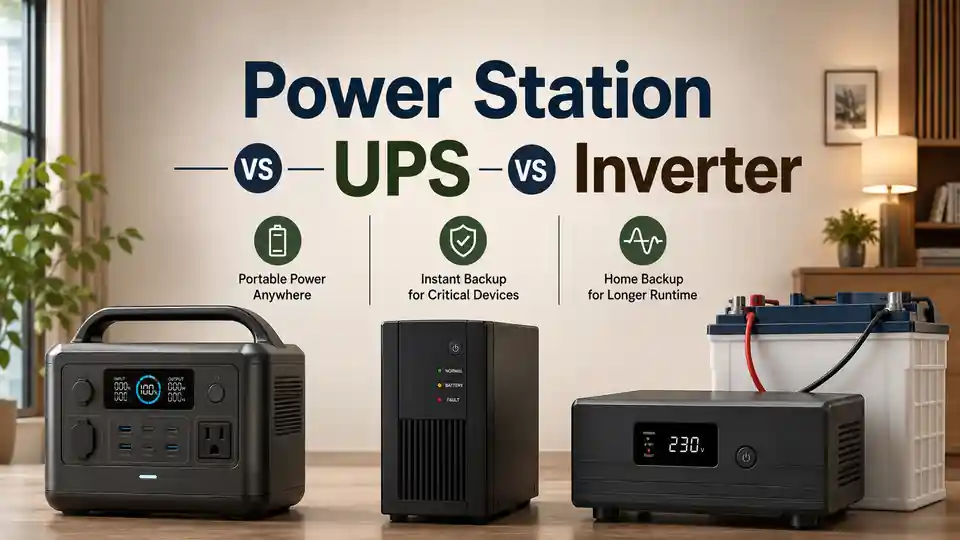
A UPS, a portable power station and a battery inverter can all keep equipment running when the mains or utility supply fails, but they solve different problems. A UPS is usually chosen when even a brief interruption could restart a computer, server, router or control system. A portable power station is usually chosen when you want a self-contained battery that can be moved between appliances. An inverter system becomes attractive when you need longer runtime, replaceable or expandable batteries, higher output or integration with fixed home circuits.
The best option is therefore not the one with the largest watt number. It is the one that matches the load, the required transfer behaviour, the number of backup hours, the charging method and the way the equipment will be connected.
The quick decision
| Your main priority | Likely starting point | What can change the answer |
|---|---|---|
| A desktop computer must stay on during short outages | A suitable UPS | Required shutdown time, UPS topology, watts and VA, waveform and battery runtime |
| A router, ONT, phone and laptop need several hours of backup | A small UPS, DC mini UPS or portable power station | Device voltages, automatic transfer, low-load efficiency and required runtime |
| A refrigerator or freezer needs portable emergency power | A portable power station | Compressor startup, daily energy use, AC output, ECO behaviour and recharge time |
| A gas boiler and circulation pumps need automatic backup | A compatible UPS or inverter/charger system | Waveform, pump start, transfer behaviour, neutral and earthing requirements |
| Several essential appliances need long runtime | An inverter/charger with an external battery bank, or a large expandable power station | Installation, battery current, protection, expansion limits and charging power |
| Selected household circuits need permanent backup | A professionally designed inverter/charger or certified home energy-storage system | Transfer equipment, fixed wiring, protection, local rules and system certification |
Quick answer: choose a UPS when continuity and power protection matter most; choose a portable power station when simplicity, portability and stored energy matter most; choose an inverter or inverter/charger system when expansion, long runtime, high output or permanent integration matters most.
This guide is for preliminary selection. A plug-in UPS or portable power station is not the same as a fixed home backup installation. Do not connect a backup source to household wiring through an ordinary wall outlet or socket. Fixed wiring, transfer switching, earthing or grounding, neutral arrangements, battery protection and local approval may require a qualified electrician or system designer.
Compare the options
Start With the Load, Not the Box
Before comparing products, write down what must remain powered and what failure would be acceptable. A computer that can safely shut down after ten minutes has a different requirement from a refrigerator that must run through the night. A boiler control board may use modest power but reject an unsuitable waveform or restart after a brief interruption. A home battery system may have plenty of energy but still fail if its inverter cannot support a pump or compressor start.
Three separate questions that should never be merged
| Question | Relevant specification | A common mistake |
|---|---|---|
| Will the equipment remain on when the grid fails? | Transfer time, UPS topology and load tolerance | Assuming every product marked UPS or EPS is interruption-free |
| Can the backup start and run the equipment? | Continuous W, VA, surge W, surge duration and waveform | Choosing from battery capacity alone |
| How long will it operate? | Usable Wh or kWh divided by real average load | Choosing from inverter watts alone |
What a UPS, Power Station and Inverter Actually Are
Three Similar-Looking Products With Different Priorities
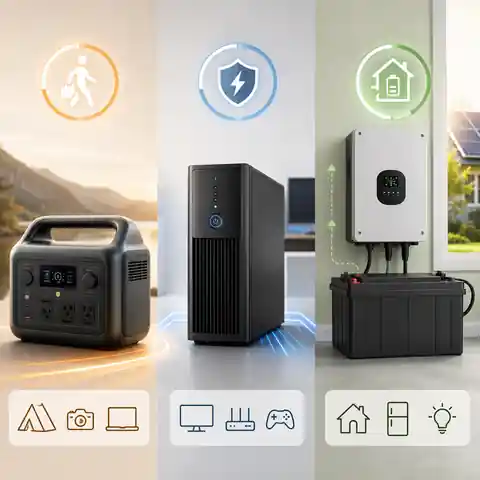
A UPS is built around the transition from normal supply to battery power and often includes voltage regulation, monitoring and shutdown support.
A portable power station combines a battery, charger, inverter, controls and several outputs in a movable enclosure.
An inverter system can be as simple as a standalone inverter and battery or as complete as an inverter/charger, transfer equipment, monitoring and an expandable battery bank.
UPS: continuity first
A UPS, or uninterruptible power supply, normally sits between the mains supply and the protected equipment. It keeps its battery charged, monitors the incoming power and supplies the load from battery when the input fails or moves outside permitted limits. Depending on the topology, the load may experience a brief transfer or may already be supplied continuously through the UPS inverter.
UPS products commonly show both volt-amperes (VA) and watts (W). The connected equipment must stay within both limits. A 1,000 VA label does not automatically mean 1,000 W of usable real power, and the battery runtime at a light office load may be very different from the runtime near the maximum rating.
Common UPS topologies
| UPS type | Normal operation | During an outage | Typical reason to choose it |
|---|---|---|---|
| Standby or offline UPS | The load normally uses incoming power while the UPS monitors it | A transfer switch connects the battery inverter after a failure | Basic protection for modest home or office equipment |
| Line-interactive UPS | The UPS can correct some voltage variation without using the battery | A brief transfer connects inverter power when required | Computers, network equipment and small office systems |
| Online double-conversion UPS | Incoming AC is converted to DC and then recreated as AC for the load | The inverter is already supplying the load, so there is no transfer gap to battery operation | Sensitive, critical or poor-power-quality applications |
The word “UPS” does not identify the topology, waveform, battery size or transfer time. Read the model specification rather than assuming that all UPS products behave alike.
Portable power station: stored energy in one movable unit
A portable power station packages rechargeable battery storage, an AC inverter, charging electronics, controls and output ports into one enclosure. Depending on the model, outputs may include AC sockets, USB, 12V DC and higher-current vehicle or accessory connections. Charging may be available from the grid, a vehicle and compatible solar panels.
The main advantages are convenience and flexibility. You can charge one unit and move it between a refrigerator, work area, internet equipment or outdoor use. The main limitation is that every function is tied to the same product. If its inverter output, battery capacity, transfer mode, charging speed or expansion system does not fit the job, changing one part may be difficult or impossible.
Some power stations offer an EPS or UPS mode, while others provide only pass-through charging or manual backup. Transfer time, supported loads, battery behaviour and operating restrictions are model-specific. Do not place a computer, boiler or other sensitive load on a power station continuously until its manual confirms the intended use.
Inverter system: flexible, but not automatically complete
A standalone inverter converts DC from a battery into AC for appliances. It may not charge the battery, switch automatically between grid and battery, monitor the installation or provide the protective devices required by the system. Those functions need separate equipment unless they are integrated.
An inverter/charger combines an inverter and battery charger and often includes an internal transfer switch, programmable charging, monitoring and generator or grid integration. A complete home system may also include a battery management system, DC and AC isolation, fuses or breakers, busbars, surge protection, transfer equipment, solar charge controllers and energy monitoring.
When sellers use the word “inverter”, check whether they mean an inverter only, an inverter with a charger, a UPS-style inverter/charger, a hybrid solar inverter or a complete battery system. The same word can describe very different equipment.
The Switchover Gap Can Decide the Winner
Transfer time is the interval between loss of the normal supply and stable battery-derived output. For a lamp or refrigerator, a brief interruption may be unimportant. For a desktop computer, network switch, server, medical device or sensitive control board, the same interruption may cause a restart, data loss or fault.
How different loads may react to a brief interruption
| Load | Possible response | What to verify |
|---|---|---|
| Desktop computer | May remain on, restart or shut down depending on its power supply and load | UPS transfer time, output waveform and a controlled unplug test |
| Router and ONT | May reboot and take several minutes to restore internet service | Whether both devices stay powered and whether the backup changes over without interruption |
| Refrigerator or freezer | Usually tolerates a short interruption, but compressor restart rules still matter | Surge output, restart delay and appliance guidance |
| Gas boiler and controls | May continue, reboot or lock out depending on the appliance and electrical arrangement | Waveform, transfer behaviour, neutral and earthing requirements |
| LED lighting | May flicker briefly | Whether the result is acceptable and within the driver's input requirements |
| Server, storage or sensitive electronics | May be vulnerable to even a short gap or poor output quality | Online UPS or model-specific continuity requirements |
A standby or line-interactive UPS normally has a specified transfer time. An online double-conversion UPS keeps the load on the inverter path and therefore does not need a transfer to battery output. An inverter/charger or portable power station may switch in a few milliseconds, several tens of milliseconds or not automatically at all. The model manual is the only reliable answer.
A published transfer time is still not a guarantee for every appliance. Test the actual load by removing input power under controlled conditions, then confirm that it remains operating, returns to grid power correctly and does not report a fault.
Runtime, Output Power and Surge Are Different Limits
A backup device can have enough energy but not enough output power, or enough power but too little energy. This is why a large inverter watt rating does not promise long runtime and a large battery watt-hour rating does not promise that a compressor or pump will start.
Read the specifications in the correct order
| Specification | Unit | Question it answers |
|---|---|---|
| Continuous real power | W or kW | Can the backup carry the normal combined load? |
| Apparent power | VA or kVA | Can it support the current and power-factor demand of the AC load? |
| Surge or overload output | W, VA or percentage for a stated time | Can it start motors, compressors, pumps or other short high-demand loads? |
| Stored energy | Wh or kWh | How much nominal energy is available? |
| Usable output energy | Wh or kWh after limits and losses | How much energy may actually reach the appliances? |
| Transfer time | ms | How long may the load be without normal output during changeover? |
| Recharge power or time | W, A or hours | Can the battery recover before the next outage? |
A backup unit is rated at 1,000 W and 1,000 Wh. Will it run a constant 200 W load for five hours?
Answer: Five hours is the nominal energy calculation, but real runtime will normally be shorter.
Explanation: 1,000 Wh ÷ 200 W = 5 hours before allowing for reserved capacity, inverter losses, internal consumption, battery condition and cut-off settings. The 1,000 W output rating shows that the 200 W load is within the continuous power limit; it does not remove the energy losses.
Can a 2,000 Wh power station start a refrigerator if its AC output is only 300 W?
Answer: Not necessarily. It may store ample energy but still shut down during compressor start.
Explanation: Energy capacity determines potential runtime. The station's continuous and surge output determine whether the compressor can start and continue running. Both checks must pass.
Which Option Fits Each Home Backup Scenario?
Desktop computer, monitor and home office
For a desktop computer, the first goal is usually continuity rather than all-day operation. A correctly sized line-interactive UPS can keep the system running through short interruptions and provide enough time to save work or shut down. An online UPS may be justified for unusually sensitive equipment or poor power quality. A power station can provide much longer runtime, but only when its transfer mode is suitable for the computer and its AC output may remain enabled continuously.
- Add the real watts of the computer, monitors, network equipment and any external storage.
- Check both the UPS watt rating and VA rating.
- Choose enough runtime for automatic shutdown or continued work.
- Confirm USB, network or software shutdown support when unattended protection matters.
- Test grid loss and return while the computer is under a normal heavy workload.
Router, ONT and communication equipment
A router and optical network terminal are small loads, so conversion losses can matter almost as much as the devices themselves. A DC mini UPS may be efficient when voltage, polarity and connectors match. A standard AC UPS is simpler when several original adapters are used. A portable power station offers longer runtime and additional USB or laptop charging, but its AC inverter may be inefficient at a very small load or may enter a low-load sleep mode.
Battery Backup for a Wi-Fi Router and ONT: Runtime GuideRefrigerator and freezer
A portable power station is often the easiest temporary refrigerator backup because it combines the battery, inverter and charger in one unit. It must still support the compressor's starting demand, defrost load, correct voltage and frequency, and a suitable waveform. Runtime should be estimated from measured or labelled daily energy rather than one running-watt reading.
A conventional office UPS may have enough wattage to run a refrigerator but disappointing runtime, a non-sinusoidal battery output or overload behaviour that is unsuitable for a compressor. Use a UPS for a refrigerator only when the manufacturer specifications and a real test support that use.
How Long Will a Power Station Run a Refrigerator?Gas boiler and circulation pumps
A boiler backup needs more than enough watts. Pure sine wave output is the safest general starting point for electronic controls and pumps, but the complete system may also depend on transfer behaviour, live and neutral treatment, earthing or grounding, polarity and pump inrush. A compatible UPS can be convenient for short or medium outages; an inverter/charger with an external battery can provide longer runtime.
Gas Boiler Backup Power: Choosing a UPS, Inverter and BatterySeveral essential appliances during a long outage
When the load includes a refrigerator, router, lights, laptops and heating controls, a modular inverter/charger or large expandable power station becomes more practical than several small UPS units. The design must account for overlapping loads, motor starts, idle consumption, charging time and the battery energy required between charging opportunities.
A power station remains the simpler purchase. An inverter system offers more freedom to choose battery chemistry, capacity and future expansion. That freedom also creates more ways to mismatch components, undersize cables or omit protection.
Permanent backup for selected home circuits
Backing up fixed circuits is an installation project, not a larger version of plugging an appliance into a portable unit. A purpose-designed inverter/charger or home energy-storage system may supply a protected loads panel, breaker box or consumer unit through approved transfer and protective equipment. The design must prevent backfeeding, provide safe isolation and maintain the required neutral, earth and protective-device behaviour in every operating mode.
Never energise household wiring by using a lead with two plugs or by connecting an inverter or power station to an ordinary outlet. This can expose utility workers, neighbours and occupants to lethal voltage and can bypass the protection expected in the installation.
When a UPS Is the Better Choice
- The connected equipment must not restart during a normal outage.
- You need automatic shutdown software or network management.
- The required runtime is measured in minutes rather than many hours.
- Voltage regulation and power-quality protection matter alongside battery backup.
- The protected equipment is a computer, server, network switch, storage device or control system.
- You want a plug-in product with clearly stated VA, W, transfer and runtime data.
A UPS is less attractive when the main goal is running a large appliance for many hours. External battery packs are available for some UPS families, especially online models, but the complete cost, charging time, fan noise, standby consumption and battery replacement method should be compared with a power station or inverter system.
Do not choose a UPS only from its maximum VA number. Check the separate watt limit, runtime graph at your load, battery waveform, transfer time, battery replacement options and whether the manufacturer supports the intended appliance.
When a Portable Power Station Is the Better Choice
- One battery needs to serve different rooms or appliances at different times.
- You want a self-contained product without selecting separate batteries, charger and inverter.
- Several AC, USB and DC outputs are useful.
- Solar or vehicle charging may be needed.
- The backup must also work for travel, outdoor use or temporary work.
- You need more runtime than a small office UPS usually provides.
The power station should be judged as a system, not only as a battery. Check usable AC energy, continuous and surge output, transfer mode, supported pass-through operation, AC idle consumption, low-load shutdown, charging time, solar input limits, fan noise, expansion-battery rules and warranty conditions.
Portable Does Not Mean Suitable for Every Permanent Job
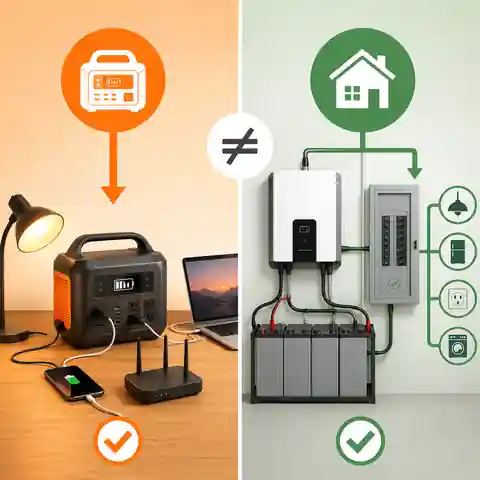
A portable power station is normally simplest when appliances plug directly into its approved outputs.
Using it as permanent whole-home equipment may introduce ventilation, cable routing, charging, transfer and certification questions that the product was not designed to answer.
When fixed circuits are involved, choose equipment intended and approved for that installation rather than improvising around a portable product.
When an Inverter or Inverter/Charger System Is the Better Choice
- Battery capacity needs to be selected independently from inverter power.
- The system may be expanded later.
- Long runtime or high appliance power is required.
- Batteries need to be replaceable without replacing the entire inverter.
- Solar, grid and generator charging may be integrated.
- Selected circuits need automatic backup through purpose-designed transfer equipment.
- Monitoring, load control and programmable charge settings are important.
This is also the option with the greatest design responsibility. The battery voltage must match the inverter. The battery and BMS must support continuous and surge current. Cables, terminals, busbars, fuses, breakers and isolators must be suitable for the expected current and fault energy. Charging voltage and current must match the chemistry and manufacturer's instructions.
A larger external battery does not automatically make an inverter system safer or more capable. It can increase fault current and stored energy. Expansion must follow the limits for battery configuration, protection, enclosure, ventilation, temperature and installation.
Can a Power Station Replace a UPS?
Sometimes, but the answer depends on the exact power station and the protected load. A unit with a manufacturer-approved UPS or EPS mode, adequate output, a sufficiently short transfer time and support for continuous pass-through operation may keep a typical computer or network load running. Another station may interrupt output long enough to restart the same device, disable AC after a low-load period or limit output while charging.
Checks before using a power station as a UPS
| Check | Why it matters | Where to verify |
|---|---|---|
| Operating mode | UPS, EPS and pass-through charging are not always equivalent | Product manual and technical support |
| Transfer time | The load may restart during the changeover | Published specification and controlled test |
| Continuous pass-through use | Heat, battery management and charging behaviour may differ from occasional use | Manual restrictions and warranty terms |
| AC output while charging | Some units reduce output or apply input limits | Charging and bypass specifications |
| Battery cycling policy | Some designs bypass the battery on grid power; others may cycle or maintain it differently | Manufacturer description for the exact mode |
| Auto-restart after depletion | The load may remain off after grid power returns | Restart settings and real test |
| Low-load shutdown | Router or standby equipment may not keep the AC inverter awake | ECO settings, minimum load and timeout controls |
For a computer, the most useful test is not whether the display says “UPS”. It is whether the computer remains stable during grid loss, low voltage, battery operation and return to normal power under its real workload.
Can a UPS Replace a Power Station?
A UPS can provide portable-looking backup for small electronics, but it is normally designed around protected AC loads rather than general-purpose energy access. It may have fewer output types, shorter runtime, slower charging, less convenient solar integration and a battery chosen for standby service rather than frequent deep cycling.
For a router, computer or short boiler outage, a UPS may be the better and simpler tool. For charging phones, running a laptop away from an outlet, moving backup power to a refrigerator or using solar during a long outage, a portable power station is usually more versatile.
Can a Standalone Inverter Act Like a UPS?
Not by itself. A basic inverter supplies AC from a battery only when it is switched on and connected correctly. UPS-like operation requires a charger, transfer arrangement, control logic and compatible battery system. Some inverter/chargers provide these functions internally; other installations use separate transfer switches and chargers.
Even when an inverter/charger switches automatically, its transfer time and output quality must suit the load. A system designed for lights and a refrigerator may not provide the same continuity or power conditioning as an online UPS protecting a server.
The Costs That Do Not Fit on the Front Label
What may be needed beyond the main product
| Option | Possible additional costs | Long-term cost question |
|---|---|---|
| UPS | Replacement batteries, external battery packs, network card, shutdown software, rack hardware | How often will the battery need replacement, and can it be replaced locally? |
| Portable power station | Expansion battery, solar panels, cables, adapters, protective case | Can the battery or inverter section be repaired separately, and how is capacity retained over time? |
| Inverter system | Battery bank, charger, transfer equipment, protection, cables, enclosure, monitoring and installation | Can batteries and components be replaced or expanded without rebuilding the complete system? |
A power station often has the simplest first invoice because most parts are already included. A modular inverter system can have the highest installation cost but may offer better repairability and expansion. A UPS can be inexpensive for short-runtime computer protection, yet costly when extended battery packs and online topology are added.
Efficiency and Idle Consumption Matter Most at Small Loads
Backup systems consume some energy themselves. A large inverter may be efficient near a substantial load but waste a noticeable share of a small router or standby load through its own electronics. A UPS or power station may also use energy for monitoring, display, communication modules, cooling fans and AC conversion.
Why can a 10 W router perform poorly on a large inverter?
Answer: The inverter's own consumption may equal or exceed the router load.
Explanation: If the inverter uses 15 W while active, the battery is supporting a combined load of about 25 W before other losses. A direct regulated DC backup or small efficient UPS may provide much longer runtime from the same stored energy.
Compare efficiency at a load similar to your real use, not only the maximum efficiency headline. Also check no-load power, ECO or search-mode consumption, wake threshold and whether the protected equipment tolerates the pulsed output or brief interruption used by a power-saving mode.
Why Does an Inverter Drain a Battery With No Load?Estimate battery runtime with usable capacity and inverter lossesRecharge Time Can Be More Important Than Maximum Runtime
A system that runs for ten hours but needs twenty hours to recharge may fail during repeated outages. Compare the required energy with the charging power that is actually available. A large battery attached to a small charger can recover slowly, while a fast-charging power station may be limited by the outlet, generator or solar input.
- Check the maximum AC charging power and whether it can be reduced for a weak supply or generator.
- Check the permitted battery charging current and temperature range.
- Allow for charging losses and the slower final stage where applicable.
- Confirm whether the protected load can remain powered while charging.
- For solar charging, use realistic seasonal production rather than panel nameplate watts.
- Keep enough reserve for another outage before the battery reaches full charge.
Safety and Installation Checks
All three options contain stored electrical energy. A portable product reduces installation work, but it does not remove battery, ventilation, temperature, moisture, cable and fire risks. A modular inverter system adds high-current DC connections that can deliver destructive fault current if protection or workmanship is inadequate.
- Use products with appropriate safety certification or conformity for the country where they are sold and installed.
- Follow the specified clearance, ventilation, mounting and ambient-temperature limits.
- Do not cover cooling openings or place the unit beside a radiator, boiler, direct sunlight or combustible clutter.
- Keep batteries and equipment away from water, condensation and physical damage.
- Use only approved charging cables, expansion batteries and accessories.
- Inspect for swelling, cracking, leakage, unusual heat, abnormal smell, damaged plugs or repeated fault messages.
- Do not bypass a fuse, breaker, BMS, thermal limit or low-voltage cut-off.
- Keep battery terminals and exposed DC connections protected from tools, jewellery and loose conductive objects.
- Do not use extension leads, power strips or adapters beyond their ratings or contrary to the equipment instructions.
- Check current product recalls and safety notices before relying on second-hand or older equipment.
Stop using the system if there is smoke, swelling, leakage, crackling, an abnormal smell, repeated overheating or damaged insulation. Disconnect it only when this can be done safely, move away from the hazard and follow the manufacturer and local emergency guidance.
A Five-Question Decision Method
Answer these questions before choosing
| Question | If the answer is yes | Likely direction |
|---|---|---|
| Would a brief interruption cause a serious problem? | Transfer behaviour becomes the first filter | UPS, especially online for highly sensitive loads, or a verified inverter/charger mode |
| Does the backup need to move between appliances or locations? | A self-contained battery is valuable | Portable power station |
| Do you need many hours, high output or future battery expansion? | Modularity matters | Inverter/charger system or an explicitly expandable power station |
| Will the system supply fixed household circuits? | Installation and transfer design become essential | Purpose-designed fixed inverter or certified energy-storage system |
| Is the load mainly a computer or network equipment for a short period? | Power continuity and shutdown support matter more than very large capacity | UPS |
More than one product can be used in the same home. A small UPS may protect the computer and network from short interruptions, while a power station supplies the refrigerator during a long outage. A larger inverter system may later support selected circuits. Combining tools by job can be more reliable than forcing one oversized unit to serve every load.
Buying Checklist
- Write the exact devices and the worst realistic combination that may operate together.
- Measure or verify running watts and any motor, compressor or pump startup demand.
- For UPS products, check both VA and W ratings.
- Confirm output voltage, frequency and waveform for every important appliance.
- Decide the maximum acceptable transfer time and verify the product topology or operating mode.
- Calculate the usable Wh or kWh required for the target runtime, not only nominal capacity.
- Check no-load consumption and efficiency at the expected load.
- Confirm charging time from the power sources you will actually have.
- Check battery chemistry, cycle use, temperature limits and replacement or expansion options.
- Review automatic restart, low-load shutdown and behaviour after full battery depletion.
- Check outlet count, connector type, cable length and whether adapters are approved.
- Include noise, fan operation, weight and storage location. A 30 kg (66 lb) unit may be movable but not convenient.
- For fixed wiring, obtain a design that covers transfer, isolation, earthing or grounding, neutral treatment and protective devices.
- Run a controlled outage test before depending on the system.
- Retest periodically as batteries age and connected equipment changes.
Common Selection Mistakes
Mistake, consequence and better check
| Mistake | What can happen | Better approach |
|---|---|---|
| Choosing from the largest watt number | Runtime is too short or surge behaviour is still inadequate | Check W, VA, surge, duration and usable Wh separately |
| Assuming every UPS has zero transfer time | A sensitive load restarts | Identify standby, line-interactive or online topology |
| Assuming every power station can act as a UPS | The load restarts, AC sleeps or output is limited while charging | Verify the exact UPS or EPS mode and test it |
| Treating an inverter as a complete system | No charging, no automatic transfer or missing protection | List every required system component |
| Using running watts for a refrigerator or pump | The inverter trips during startup | Check measured or documented inrush and surge duration |
| Ignoring inverter idle power | Small loads receive much less runtime than expected | Include self-consumption in the energy calculation |
| Buying a very large battery with a slow charger | The system cannot recover between outages | Calculate recharge time and available input power |
| Improvising a connection to home wiring | Backfeed, shock, fire or failed protection | Use purpose-designed transfer and professional installation |
| Never testing the real appliance | The first full test happens during an emergency | Perform controlled transfer, overload and runtime tests |
Frequently Asked Questions
Is a power station better than a UPS?
It is usually better for portable, multi-purpose and longer-duration energy storage. A UPS is usually better when the primary goal is keeping a computer, server, router or control system continuously powered and providing power-quality or shutdown functions. The exact model and load decide the answer.
What is the difference between a UPS and an inverter?
A UPS is a complete backup product designed to monitor incoming power and support connected loads automatically. A basic inverter only converts battery DC into AC. An inverter/charger can add charging and automatic transfer, but its behaviour still depends on the design and settings.
Does a UPS always switch instantly?
No. Standby and line-interactive UPS products normally have a short specified transfer time. Online double-conversion UPS products supply the load continuously through the inverter path and therefore have no battery-transfer gap. Check the exact topology and specification.
Can I leave a power station plugged in all the time?
Only when the manufacturer permits continuous plugged-in or UPS-style operation for that model. Check charge limits, battery-maintenance mode, pass-through restrictions, ventilation, firmware settings and warranty terms. Test restart behaviour after both an outage and full battery depletion.
Can a normal computer UPS run a refrigerator?
Some can, but many are a poor match. The UPS must provide a suitable waveform, enough continuous power, enough surge for compressor start and useful runtime. A unit selected for a computer may support the running watts but trip during startup or exhaust its small battery quickly.
Which option is best for a gas boiler?
A compatible pure sine wave UPS or inverter/charger is often the best starting point. The final choice must also account for pumps, controls, transfer behaviour, VA, neutral and earthing arrangements, battery runtime and the boiler manufacturer's requirements.
Which option is best for a router and ONT?
A compatible DC mini UPS can be efficient for small matching DC loads. A standard AC UPS is simple when the original adapters use different voltages. A portable power station is useful when longer runtime and phone or laptop charging are also required.
What size power station or inverter do I need?
Add the continuous watts of simultaneous loads, check the highest realistic startup condition and calculate the usable watt-hours required for the target runtime. Then verify output voltage, frequency, waveform, VA, battery current, recharge time and installation limits.
Is an online UPS always the best option?
No. It provides excellent continuity and power conditioning, but it is generally more complex, can use more energy, may produce continuous fan noise and can cost more than standby or line-interactive equipment. It is valuable when the load justifies those features.
Can I combine a UPS with a power station?
Sometimes, but compatibility must be checked. A power station may feed a UPS, or a UPS may protect a load while another source supplies it, but waveform, frequency, neutral behaviour, transfer events, charging demand and manufacturer restrictions can cause unexpected faults. Use only arrangements supported by the product documentation.
Choose the Backup System by Its Job
Choose a UPS when a short power interruption is the main risk. Choose a portable power station when you want a self-contained source that can move between appliances and provide several hours of energy. Choose an inverter or inverter/charger system when runtime, output, battery replacement, expansion or permanent integration matters more than plug-and-play simplicity.
- Continuity points toward a UPS.
- Portability and several output types point toward a power station.
- Long runtime and expansion point toward an inverter/charger system.
- Computers require transfer, VA and shutdown checks.
- Refrigerators and pumps require surge and runtime checks.
- Small loads require an idle-consumption check.
- Repeated outages require a recharge-time check.
- Fixed home circuits require proper transfer equipment and professional design.
The right comparison is not UPS versus power station versus inverter in the abstract. It is one complete backup plan versus another: the actual appliances, the interruption they can tolerate, the hours they must run, the energy needed to recharge and the safe way the system will be connected.
Explore all HomDera battery, inverter and backup-power guides